
Professional invoices, sent in no time.
Automatic numbering, VAT per line and sending from one screen. No Excel, no Word.
Everything that makes an invoice professional.
Auto-numbering
Invoisio numbers your invoices automatically and prevents duplicate numbers. You choose the prefix and starting number.
VAT per line
Choose 21%, 9% or 0% per line. At 0% you pick ‘reverse charge’ or ‘exempt’ and the right wording goes on the invoice. Invoisio does the maths.
Send instantly
One click and your invoice goes to your client by email, with the PDF attached. With Stripe connected, a payment link is included.
Your branding
Choose one of five fixed styles or design your own layout in the PDF editor, with your logo, colours and font.
Speed
From blank form to sent invoice in a few clicks.
Pick the client, fill in the lines, Invoisio calculates the VAT. No Word, no Excel, no formulas.
Try for free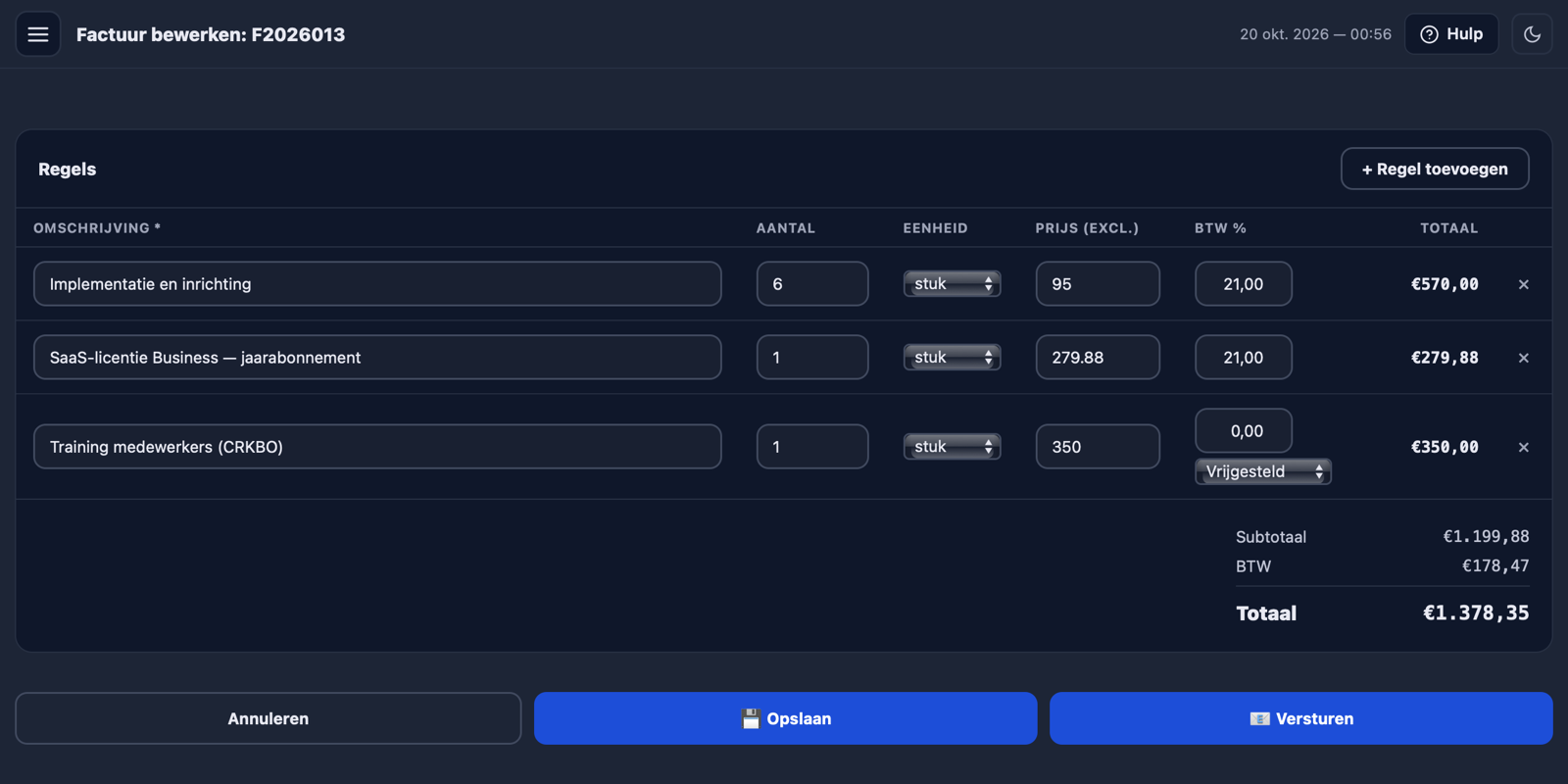
Frequently asked questions about invoices
How do I create my first invoice?
In your portal go to Invoices → New Invoice. Pick a client, add lines and click Send. Fill in your company details first (address and Chamber of Commerce number), otherwise you cannot send yet.
Are invoice numbers generated automatically?
Yes. You set the prefix and starting number yourself (e.g. F-2026-001), then Invoisio counts up automatically. Duplicate numbers are not possible.
How does the VAT calculation work?
Per line you choose the rate: 21%, 9% or 0%. At 0% you choose whether VAT is reverse-charged (for example for a business client in the EU) or exempt. Invoisio calculates the VAT and puts the right wording on the invoice.
Can I design my own invoice layout?
Yes. In the PDF editor you place blocks wherever you want, with your own logo, colours and font. Or pick one of the five fixed styles.
Can my clients pay directly via the invoice?
Yes, if you connect Stripe. A payment link then appears in the email and on the PDF. Your client pays by iDEAL, credit card or Bancontact and the invoice switches to Paid automatically.