
Let your client pay online right away.
With Stripe connected, every invoice email and PDF includes a payment link. Paid? Invoisio updates the status itself.
Money in your account faster.
iDEAL, card and Bancontact
Your client chooses iDEAL, credit card or Bancontact. The money goes to your own Stripe account.
Status updated by itself
As soon as your client pays, the invoice switches to Paid. No more comparing bank statements.
Secure via Stripe
Your client pays on Stripe’s secure payment page. Card details never reach Invoisio.
0% Invoisio markup
Invoisio charges nothing extra per payment. You only pay Stripe’s transaction fees.
Conversion
A pay button on your invoice.
With a payment link your client can pay straight away, without typing over account numbers. In your own layout the PDF also shows a QR code.
Activate Stripe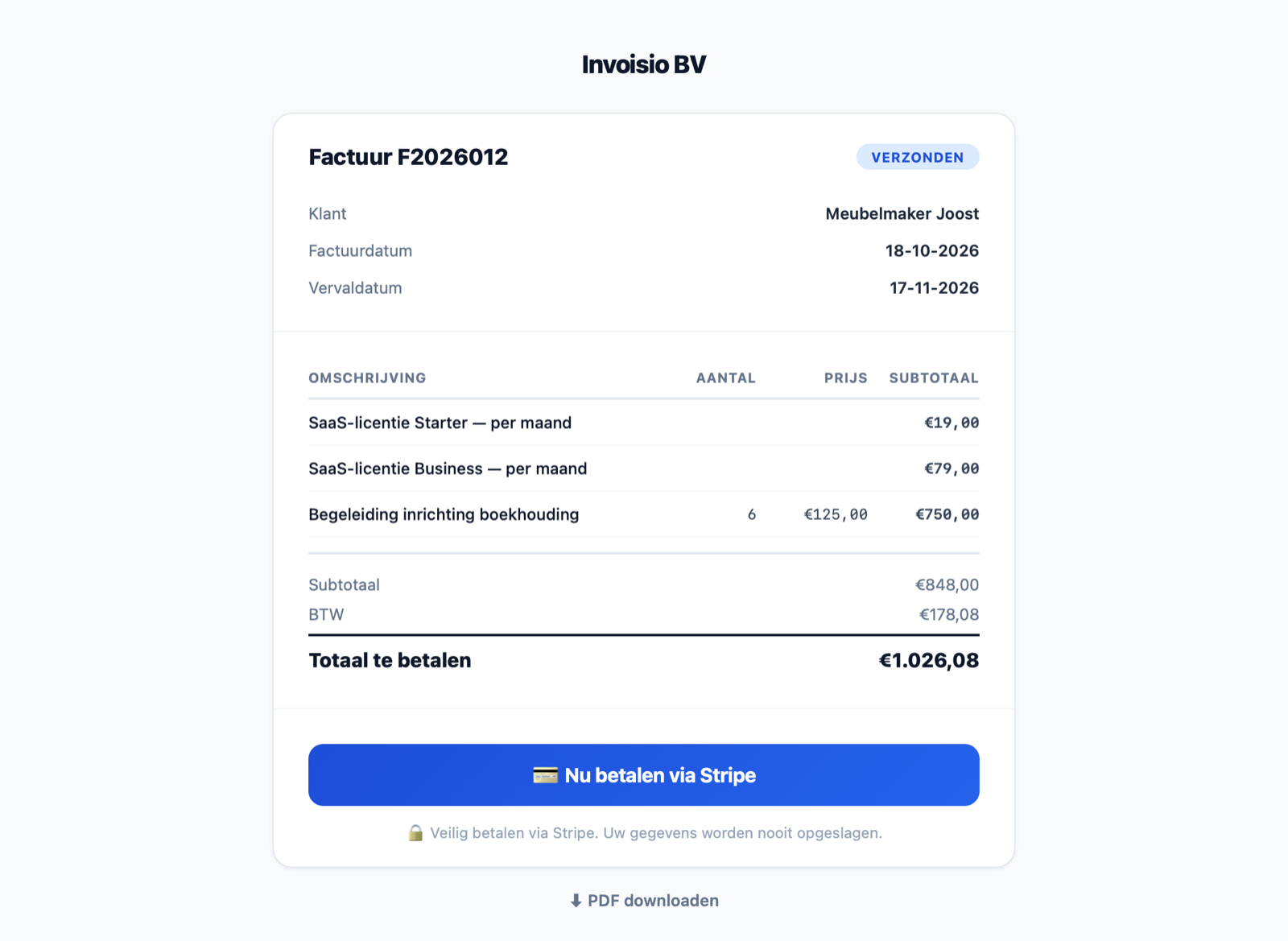
Frequently asked questions
How do I connect Stripe?
Click Stripe in the menu and then ‘Connect Stripe’. You log in to Stripe or create an account; Stripe asks for your company details and ID itself. Only an admin can connect.
Which payment methods are available?
iDEAL, credit card and Bancontact.
When does the money reach my account?
Stripe pays out to your bank account according to the payout schedule of your Stripe account. The first payout usually takes a bit longer.
What do online payments cost?
Invoisio charges 0% extra. You only pay Stripe’s transaction fees; current rates are on stripe.com.
What if a client disputes a payment?
You handle that in your Stripe dashboard. Stripe emails you and gives you time to submit evidence.
Want to get paid faster?
Connect Stripe and payment links appear automatically in your invoice emails and PDFs.