
Always know where you stand.
Your dashboard shows revenue, outstanding amounts and your best clients. No Excel needed.
Numbers you actually use.
Revenue per period
Choose a month, quarter or year and see your revenue. On your dashboard you compare directly with the previous period.
Top 5 clients
See your 5 best clients at a glance, with their revenue.
Outstanding & overdue
How much is outstanding and who is late? You see it by age: 1–30, 31–60, 61–90 and over 90 days.
Growth
Growth per month and per year in clear bar charts.
Insight
Your numbers, without a spreadsheet.
A red alert for overdue invoices. A few clicks later you have sent a reminder.
Try for free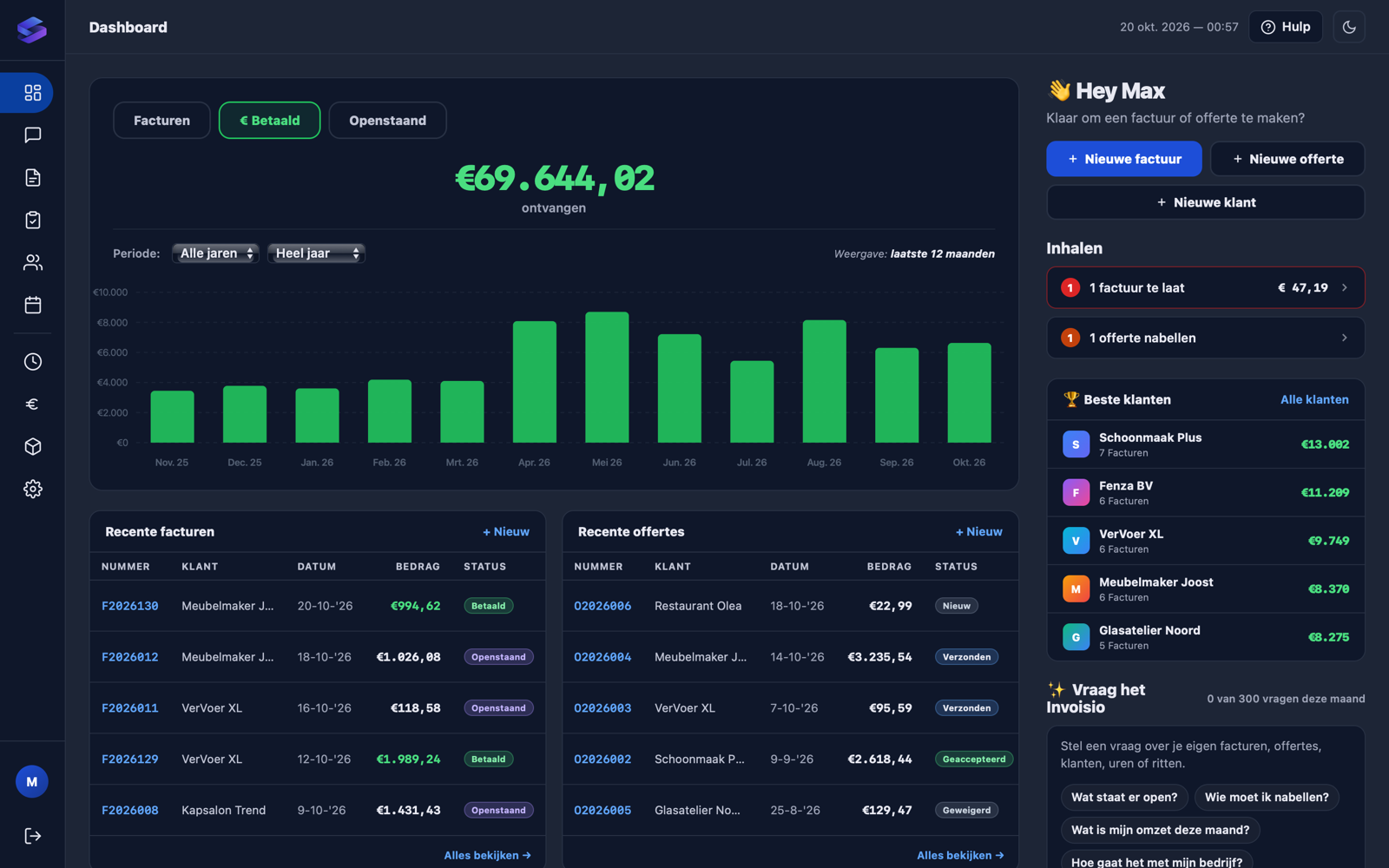
Frequently asked questions
How up to date are the numbers?
New and paid invoices appear in your dashboard within a few minutes. If your client pays via Stripe, the invoice is marked Paid straight away.
Can I export my numbers?
Yes. Export your invoices per year or month as CSV (opens in Excel), MT940 or UBL, ready for your accountant.
Can I see who pays late?
Yes. Overdue invoices get a red alert on your dashboard and you see how long each invoice has been outstanding. From the invoice you send a reminder.
Can my accountant take a look?
Yes. Connect your accountant or invite them as a user. You decide what they can see and do.
Does the dashboard cost extra?
No. The dashboard and revenue figures are included in every plan.
Ready to see how you actually perform?
Your dashboard is ready as soon as you create your first invoice.