
Your invoice, your design.
Drag blocks, choose your colours and font — your logo and details are already in place. What you see in the editor is exactly what's in the PDF.
Designer quality without a designer.
What you see is what you get
The editor shows your invoice at true A4 size, with your own logo and company details. The PDF looks exactly the same.
Logo, colours & font
Your logo comes from your profile. Pick your accent colour and a font that suits your brand.
Up and running fast
Start from a clean, ready-made layout and change only what you want. Or pick one of our fixed templates.
Invoices and quotes
Use one design for invoices and quotes, or make a separate one for each.
Editor
Drag, click, done — no Photoshop required.
The editor shows a true-size A4 with the same margins, fonts and details as the PDF. What you see is what you send.
Try for free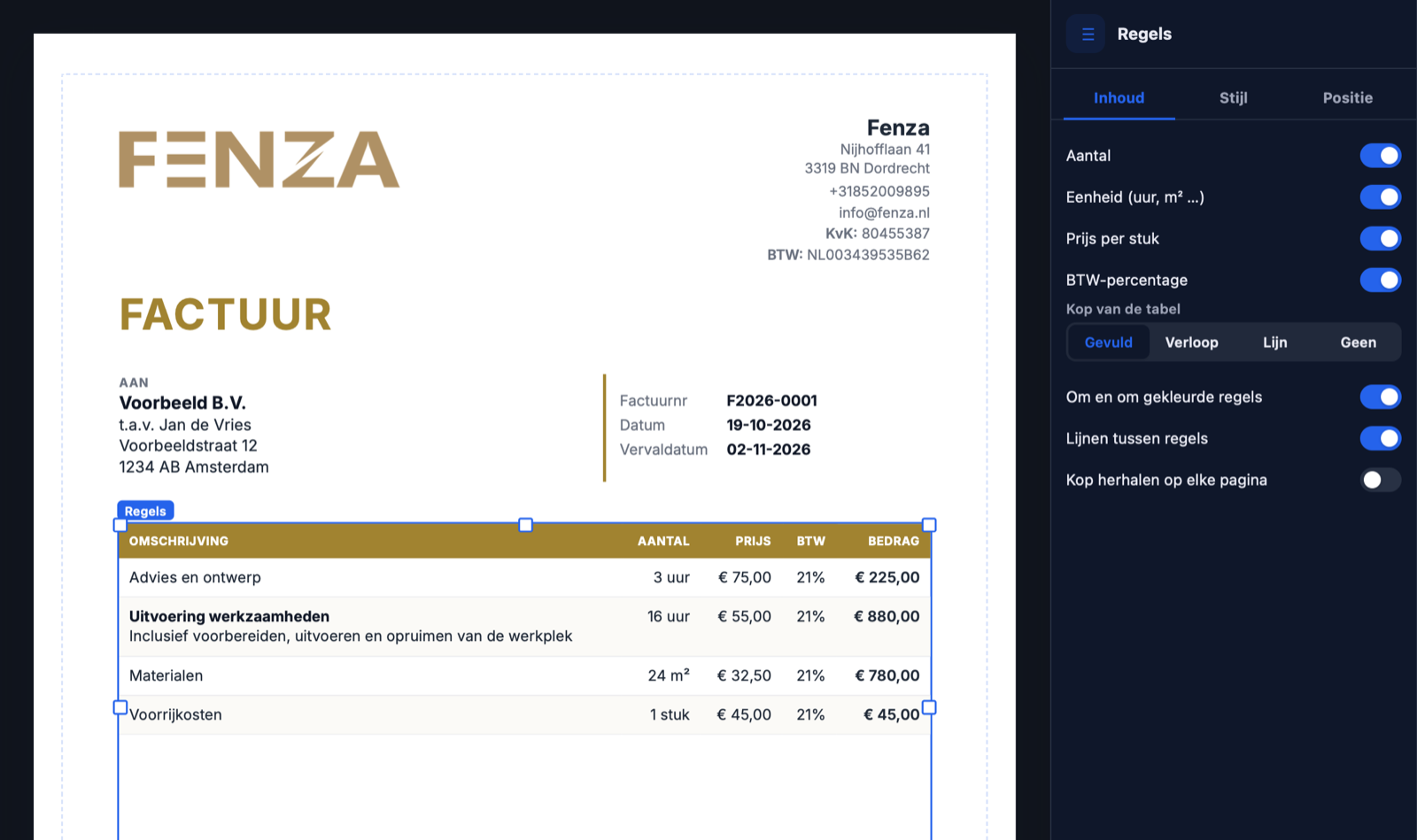
Frequently asked questions
Do I need design experience?
No. You start from a clean layout; drag what you want to move and click to change colours or text.
Which fonts can I choose?
A selection of professional fonts such as Inter, Montserrat, Lato and Playfair Display. They're embedded in the PDF, so your client sees exactly what you see.
Are my designs applied immediately?
Yes. New invoices use the updated layout. Existing sent invoices stay as-is for legal compliance.
Can I hide or add elements?
Yes. Switch your Chamber of Commerce or VAT number on or off, for example, or add your own text such as your payment terms.
Does it work for quotes too?
Yes. Use one design for invoices and quotes, or a separate design for each.
Ready for an invoice that stands out?
Start free and design your first custom invoice in the PDF editor.