
Work together, with the right permissions.
The admin handles everything, the accountant manages invoices and clients, the employee keeps track of hours, trips and appointments.
Delegate safely without losing control.
3 fixed roles
Admin: everything. Accountant: manage invoices, quotes and clients, but delete nothing. Employee: view, and track hours, trips and calendar.
Your own accountant
Connect your accountant. By default they can only view; you switch on what else they may do, such as creating invoices.
Protected
The Revenue, Export and Bank pages are only for the admin and the accountant. Only the admin manages your subscription.
Users per plan
Starter: just you. Professional: 1 extra user. Business: 3 extra. Enterprise: unlimited.
Everyone does what fits their job.
Your employee tracks hours and trips, your accountant creates invoices, you keep the overview.
Try for free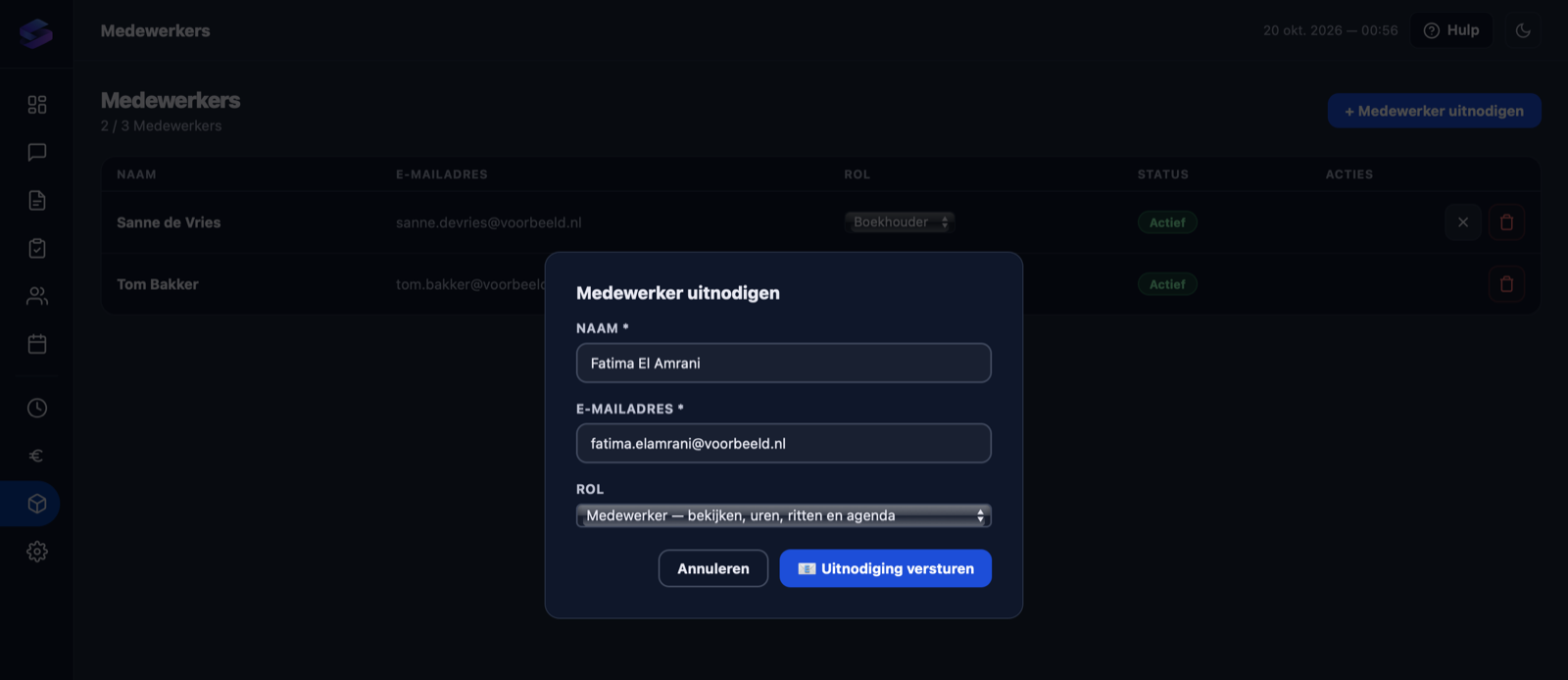
Frequently asked questions
What can an accountant do?
What can an employee do?
Can I create my own roles?
How do I connect my own accountant?
How many users can I add?
Ready to expand your team?
From Professional you can invite an employee or accountant.