
Recurring invoices — set up once, sent automatically.
Choose how often and from when. On the scheduled day Invoisio creates the invoice and emails it to your client, with the PDF attached.
Regular clients, regular flow.
Fixed schedules
Daily, weekly, monthly, quarterly or yearly. You choose the first date, after that it runs by itself.
Sent automatically
On the scheduled day the invoice goes to your client by email, with the PDF and, if Stripe is connected, a payment link. Prefer to send it yourself? Untick the box.
Pause or stop
Pause or stop with one click and resume whenever you like. Missed periods are not invoiced afterwards.
Alert if it fails
Can an invoice not be sent, for example because your client has no email address? You get an alert and the invoice is ready for you to send yourself.
Fill in the lines once, sent every period.
You fill in your invoice lines once. Every period Invoisio creates a new invoice with its own number and sends it.
Try for free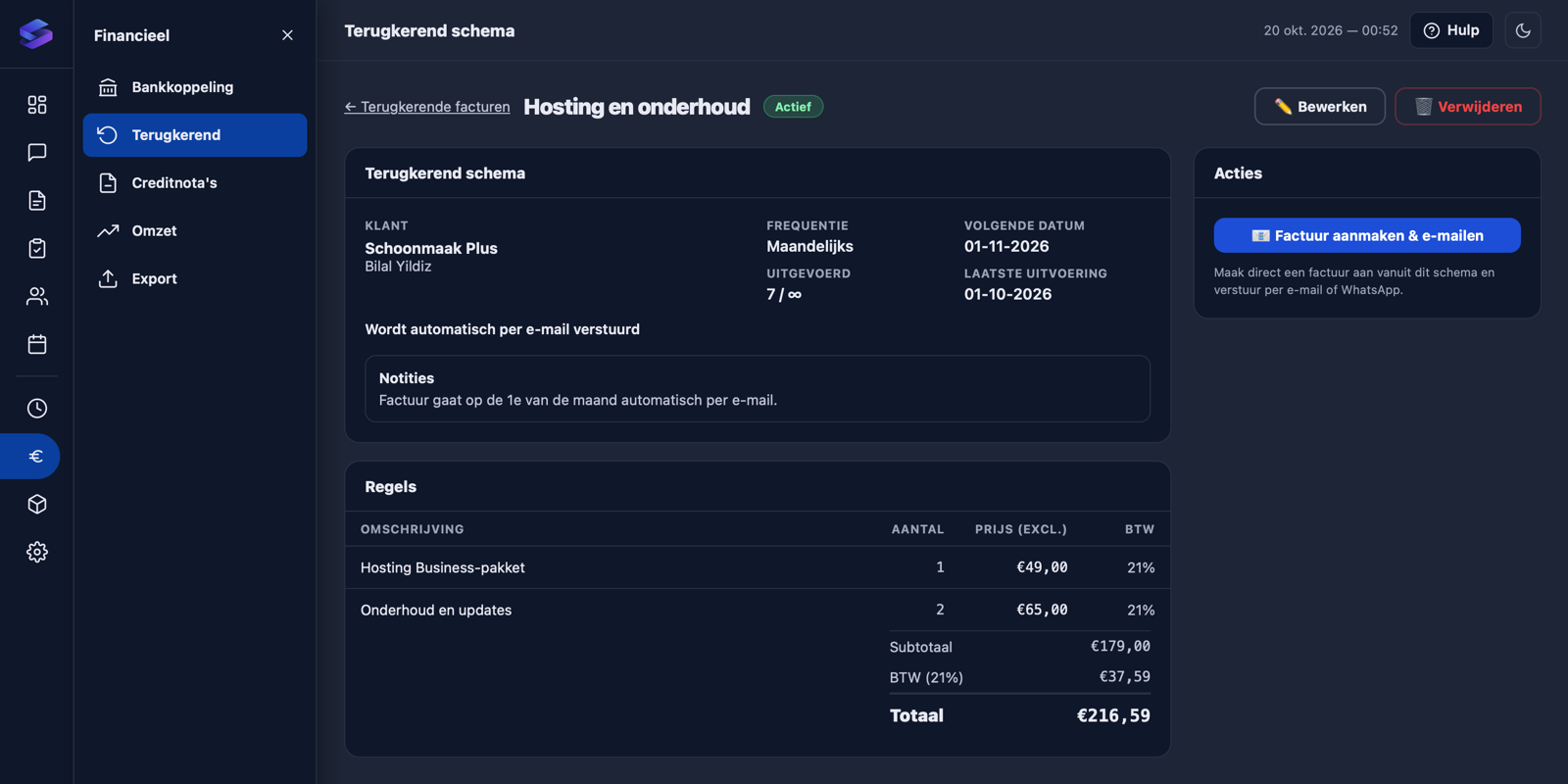
Frequently asked questions
Which frequencies can I choose?
Can my client pay online right away?
What if my price changes?
How do I know an invoice was sent?
Which plan includes it?
Stop creating recurring invoices manually.
Create your first schedule in a few minutes. Recurring invoices are included in Professional, Business and Enterprise.