
Every order becomes an invoice, automatically.
Connect your Shopify or WooCommerce store. When your customer pays, Invoisio creates the invoice, marks it Paid and emails it right away.
What happens with an order?
Paid = invoice
As soon as your store reports the payment, the invoice is ready: with the products, shipping costs and VAT from your store.
Straight to your customer
The invoice goes out by email with the PDF attached. Without a payment request, because your customer has already paid. Rather not email? Switch it off.
Never twice
If the same order comes in twice, it stays one invoice. An order that is not paid yet waits until it is.
Customers added for you
A customer with the same email address is reused; otherwise Invoisio creates a new customer, with address.
Connected in three steps.
- In Invoisio, go to Profile → Web shop and choose Shopify or WooCommerce.
- Copy the web address and paste it into your store as a webhook (Shopify: Order payment, WooCommerce: Order updated).
- Shopify: paste the code from Shopify into Invoisio. WooCommerce: paste the secret key from Invoisio into WooCommerce. Done.
In Profile → Web shop you see every order: invoice created, awaiting payment or failed.
Start free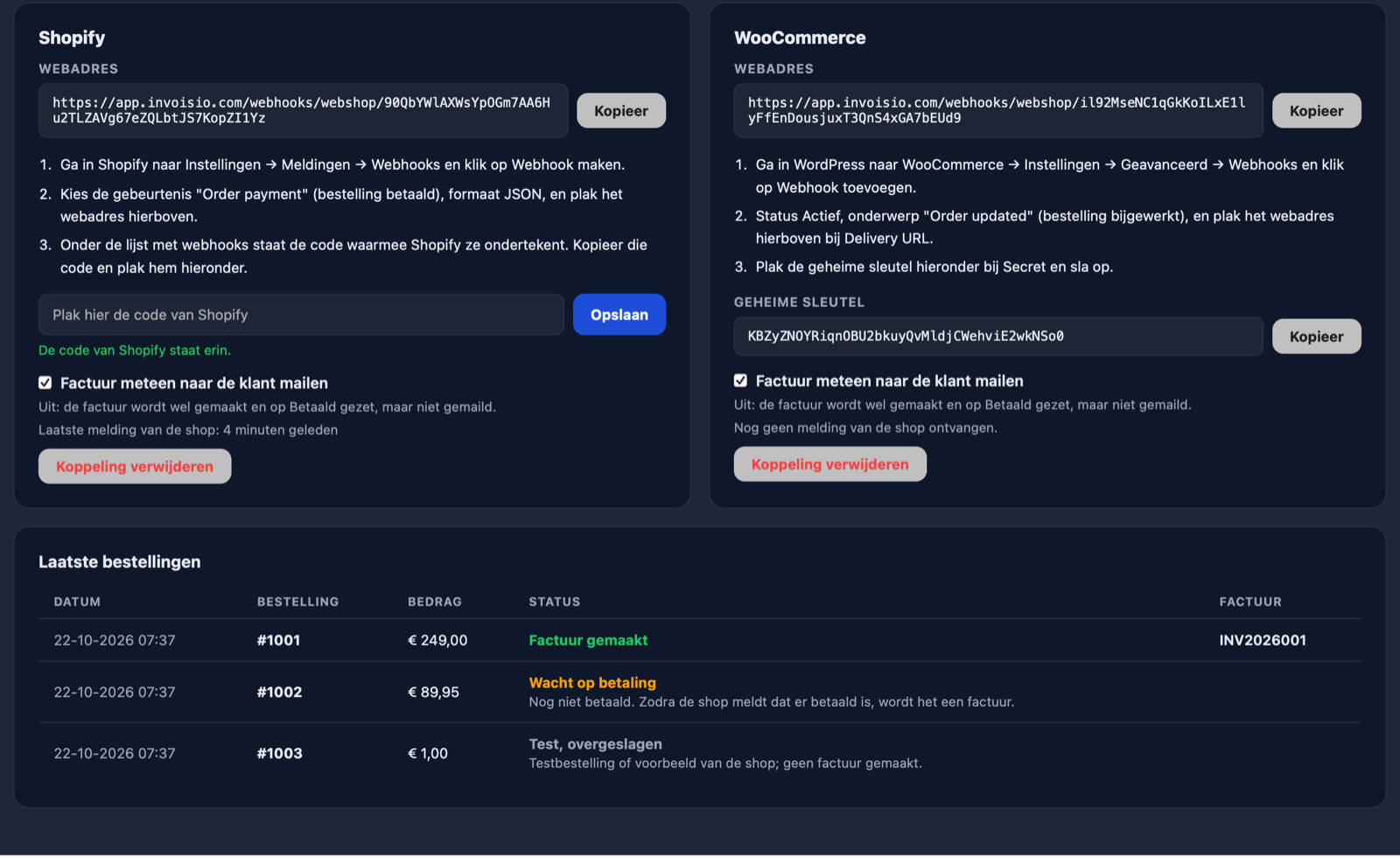
Frequently asked questions
Which plan do I need?
Which web shops work?
What if a customer gets a refund?
Does it work with other currencies?
How does Invoisio know a message really comes from my store?
Connect your store.
Choose Business, connect your store in Profile → Web shop, and every paid order becomes an invoice.